

Wouldn't it be nice if Vault could email you when a file was added or changed? Wouldn't it be even nicer if somebody were to program that feature and post it on his blog? If the answer is yes and yes, then go out and buy a lottery ticket because today is your lucky day.
Overview:
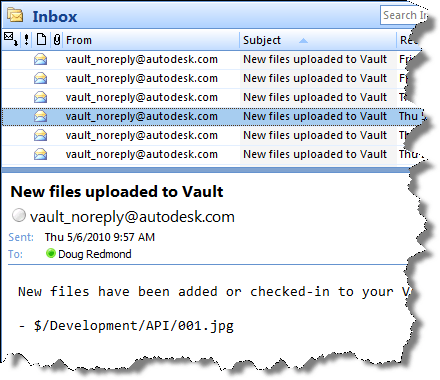
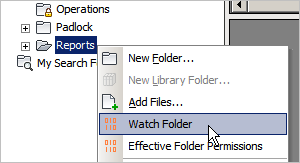
Watch Folder is a program that lets you set "watches" on Vault folders that you want to monitor. Whenever a file is added or checked-in to one of your watch folders, you get an email. You have the option of getting immediate emails or periodic summary emails.

Requirements:
- Vault Workgroup/Collaboration/Professional 2011
- Job Server enabled
- An SMTP server somewhere on the network
| NOTE: This isn't something you can just download and run. The Vault administrator needs to set up some server components before this feature can be used. |
Click here to download the application
Click here to download the server components
Click here to download the source code
To use
For Vault users, download the application and run the installer. Just make sure that the administrator has set up the proper server components first.
For Vault administrators, download the server components and follow the instructions in the readme file.
Notes:
- A watch on a folder will automatically apply to any sub-folders.
- Removing a watch will also remove watches on sub-folders.
- You can't have an immediate watch and a summary watch on the same folder. Setting a folder to one type overwrites the existing setting.
- You need to be at least Document Editor (level 1) in order to set up a watch on a folder.
- You need to have a valid email address in your Vault user settings.
- The contents of the email can be customized by the Vault administrator. See readme file.


Leave a Reply