

If you are like me, and I know I am, you would prefer to work with a visual representation of file lifecycle states. Thankfully Weipeng Hou, Frank Ran and Yuyue Wang came up with Visual Lifecycle Status.

(click image for full view)

Features:
For a selected file, the app shows all the states for the lifecycle, along with the allowed transitions. Select a transition to see more information about it, such as revision bumps or transition rules.

A red line is shown if you select a transition that is not allowed.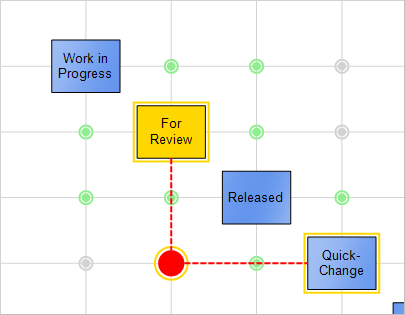
Double click on a state to move the file to that state. 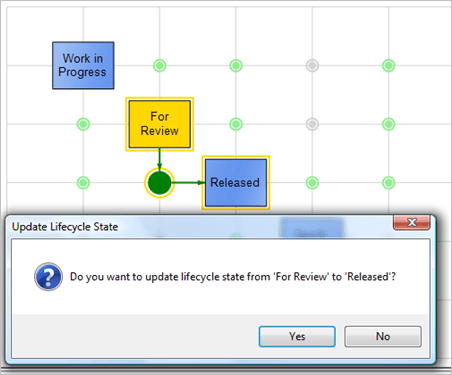
Requirements:
- Vault Workgroup 2012, Vault Collaboration 2012 or Vault Professional 2012
Click here to download application
Click here to download source code
To Use:
- Download the application.
- Unzip and run the installer.
- Run Vault Explorer.
- Select a file with lifecycle state information.
- Go to the Lifecycle Status tab
As with all the samples on this site, the legal disclaimer applies.
Conclusion:
Come back next week for another exciting Vault 2012 app.


Leave a Reply to PavelCancel reply