

This month's app is an update of Vault Query. It’s a cute little program that reads Vault data at the API level and displays the results in a similar format to the Visual Studio debugger. It’s good for things like figuring out what the system name is for the UDP you want to read.
New for 2013, you can export the results to an XML file. A lot of times, I find it easier to sift through an XML file instead of dealing with a tree view.

(click image for full view)
Requirements:
- To use the EXE
- .NET 4.0
- Vault 2013 (any product)
- To use the source code
- Visual Studio 2010
- Expression Blend 3 or 4
Click here to download the application
Click here to download the source code
Click here for 2011 version. Sorry, there is no 2012 version.
To use:
On the left you have a list of operations. Each operation represents a single web service call with specific input parameters. Double click on the operation and it runs. The output is presented in the right pane.
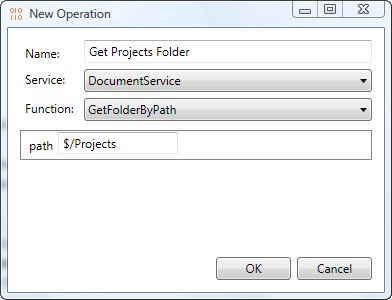
I set up a bunch of operations out-of-the-box, but you can add your own. You can either use the "Add Actions" command or edit the Operations.xml file. In theory, any API call can be made into an operation. However the UI is picky about what input types it supports. You may need to edit Operations.xml for many cases.
As with all the sample apps on this site, the legal disclaimer applies.


Leave a Reply