

I finally completed a connector between Vault and Bluestreak. A while back I asked for feedback, and the response was pretty minimal. But, there was a common theme: file upload.
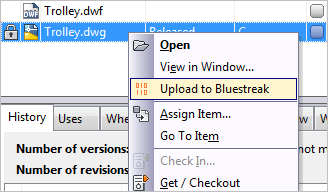
In addition to the upload feature, my extension will add items to your activity stream in Bluestreak. It will log activities whenever you move a file or item to a released state. It will also log all change order state changes.
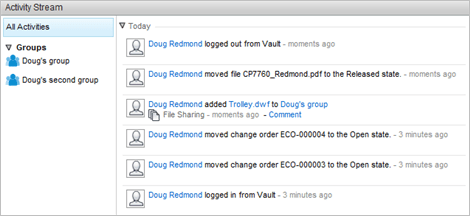
That's about it for now. This is just a first pass at something between Vault and Bluestreak. There is a lot of room for new features and improvements. If the response to this app is good, there may be updates in the near future.
Requirements:
- Vault Workgroup/Collaboration/Professional 2012
– A Bluestreak account
Click here to download the application
To Use:
- Run the install.
- Launch Vault Explorer.
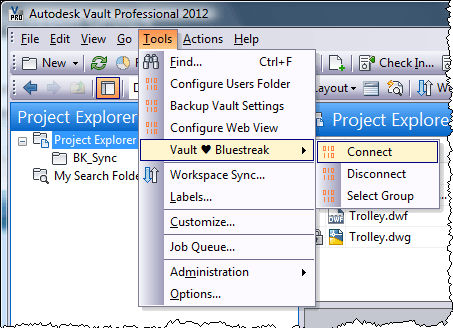
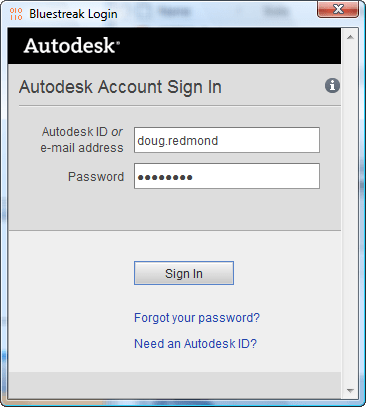
- Run the Tools->Bluestreak->Connect command to log in to Bluestreak.
- Now the extension will be able to write to the Bluestreak activity stream. This will happen automatically when certain actions are triggered.
- To upload a file, right click on the file and select the Upload to Bluestreak command.
- Select which Bluestreak group you want to upload to.
- If there is an attached visualization file, such as DWF, you will be given the option to upload the selected file or its visualization.
As with all the samples on this site, the legal disclaimer applies. 


Leave a Reply to Anna StellCancel reply