

Update: Q-Tools 2013 is now available.
Note: Click here for Q-Tools 1.0.
Here is Q-Tools 2.0. I updated it for Vault 2012 and hopefully fixed the multi-site issues. I also added, by request, the ability to email multiple addresses when errors are detected.
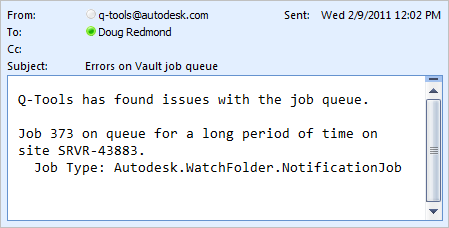
Here is the full feature list:
- Logging – Issues are logged to a text file.
- Stale Job Detection – Jobs on the queue too long can be considered an issue.
- Email Reports – Issues can be emailed to one or more recipients.
- Queue Cleanup – Jobs with issues can be automatically removed from the queue.
- Queue Forwarding – In multi-site and multi-workgroup environments, jobs can get routed to a single site.
Requirements:
– Vault Workgroup/Collaboration/Professional 2012
– Job Server feature enabled
Click here to download the application
Click here to download the source code
To setup:
- Designate a computer on the network that the Q-Tools service should run on. Only 1 Q-Tools can be running for a given Vault deployment.
- Run the installer.
- Go to the installation folder and update the settings.xml. The XML comments will explain this step.
- Run the Q-Tools service.

As with all the samples on this site, the legal disclaimer applies.



Leave a Reply