

Wouldn't it be nice to push Vault settings out to all the Vault users? Saved searches, for example. Or maybe a plug-in from your favorite Vault API blog. If there was only some sort of centralized document repository that you could use to deploy these files from.
Oh wait, Vault is a centralized document repository. Let's use it to push data out to clients…. 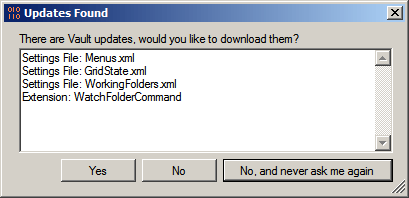
Overview:
Welcome to Project Thunderdome, my attempt to make local Vault settings into global Vault settings.
Let's start with the Users Folder concept, which Thunderdome sets up. It works the same as with Windows, each user can get their own folder that only they have access to. There is also a Default Folder which all users can read from.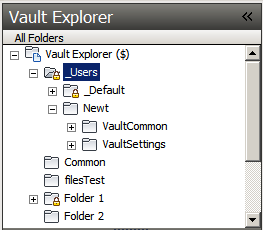
The Administrator can place data in the Default Folder to have it pushed out to everyone with Project Thunderdome installed. This can be used to push out just about any client setting (saved searches, grid state, shortcuts, etc) and other Vault Explorer extensions (Watch Folder, Set Revision iProperties, etc).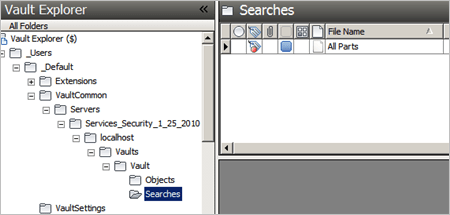
And just for fun, I added a command that will let a user back up their Vault settings to their user folder in Vault. 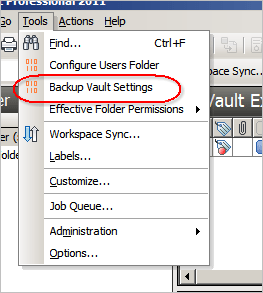
Requirements:
Vault Workgroup/Collaboration/Professional 2011
Click here to download the application
Click here to download the source code
Beyond Thunderdome:
I can see a bunch of uses for the "Users Folder" concept. I'm sure I will re-visit it in future sample apps. You're also free to expand upon the concept however you see fit. Let me know what you think.
As with all the samples on this site, the legal disclaimer applies.


Leave a Reply to Nick GustavssonCancel reply