

The Vault API is sometimes redundant, and it can also repeat itself. One place were this is painfully obvious is with file name generation. If you want to generate a file name, there are two completely separate mechanisms to choose from. Each has its own set of API functions with their own sets of pros and cons. You have to choose which is best for your needs. There is no one mechanism to rule them all.
To make matters worse, they have similar names. Once engine is for file naming schemes and the other is for file numbering schemes. If you are not paying attention, you may mistake one word for the other. It’s annoying, I know. It’s like reading a three volume fantasy epic where one villain is called Sauron and the other is called Saruman.
File Naming Schemes:
This is a pretty basic mechanism, so it's good if you want something quick and simple. It consists of an auto-increment number with a string prefix and suffix. I believe that Copy Design uses this feature.
One nice feature is that you can “rollback” a name if you decide not to use it. For example, the user hits Cancel on your dialog.
Functions for generating names:
- GetAllFileNamingSchemes
- ReserveFileNamingDescriptions
- RollbackFileNamingDescriptions
Admin functions:
- AddFileNamingScheme
- DeleteFileNamingScheme
- SetDefaultFileNamingScheme
- UpdateFileNamingScheme
File Numbering Schemes:
This is much more complex. You chain together different field types to create your naming pattern. It’s more powerful, but it’s also more difficult to work with. Items and Change Orders use this engine too.
Unfortunately, there is no way to “rollback” a number. Once it’s generated, it’s reserved forever.
Functions for generating names:
- GenerateFileNumber
- GenerateFileNumbers
- GetNumberingSchemesByType
Admin functions:
- ActivateNumberingSchemes
- DeactivateNumberingSchemes
- DeleteNumberingScheme
- DeleteNumberingSchemeUnconditional
- SetDefaultNumberingScheme
- UpdateNumberingScheme
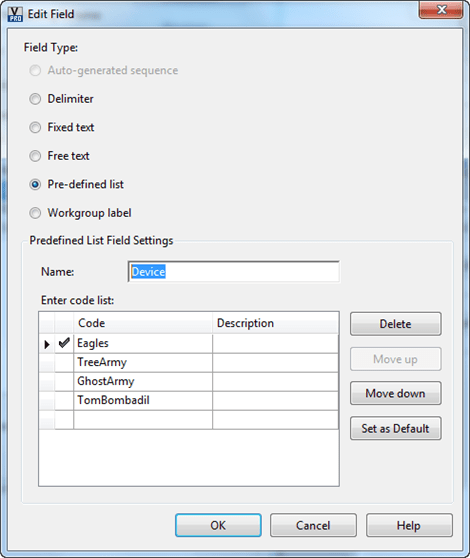
Here are some screenshots from Vault Explorer that illustrate how fields are hooked together to form the numbering scheme.



Leave a Reply