


I was hoping that I could retire DECO now that Vault Data Standard has support for custom objects. Unfortunately, DECO still has one feature that Data Standard does not. DECO overrides the “new” command with custom content. Data Standard lets you create another new command, but the default new is unchanged. It’s a subtle difference, but enough for me to continue supporting DECO.
It’s probably worthwhile for me to compare and contract both products. I should also mention that they are not mutually exclusive. You can have both Data Standard and DECO installed side by side if you want.
Another cool thing is that both products use the same framework for editing UI. They both use XAML files, which can be edited in the free version of Visual Studio. So learning one product will give you experience on the other one. Likewise, it should be very easy to port your DECO content to Data Standard.
Feature rundown
| DECO | Data Standard | |
| Custom UI | Yes | Yes |
| Custom new command | Yes | Yes |
| Override default new command | Yes | No |
| Custom edit command | Yes | Yes |
| Custom view tab | Yes | Yes |
| Additional custom commands | No | Yes |
| Multiple tabs | No | Yes |
| Support for non-custom object types | No | Yes |
| “Property page” behavior | Yes | Yes |
| Additional behavior | No | Yes |
| Content deployable through Project Thunderdome | Yes | Yes |
DECO (Design Editor for Custom Objects) mainly specializes in “property page” functionality. It’s great for displaying and editing properties on a single custom object. If that’s is all the functionality you need, then you will probably find DECO a bit easier to use than Data Standard.

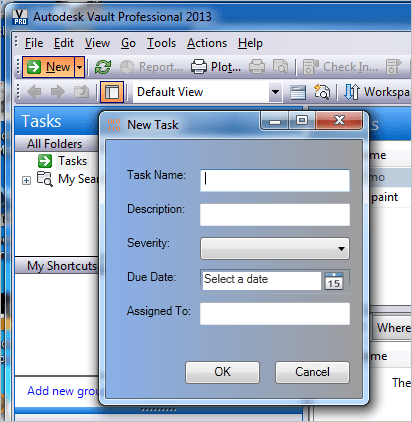
Data Standard can be used to create New, Edit and View operations for custom objects. However, Data Standard offers many more features. You can create custom commands and tabs for whatever you want. You are not limited to New, Edit and View. You are also not limited to custom objects. Files, folders, items and change orders are also customizable.
The extra features make Data Standard a bit more complex. So it’s a few extra steps to get New, Edit and View working when compared to DECO.

DECO 2015 Requirements:
- Vault Professional 2015
- XAML editor such as Visual Studio Express or Expression Blend
Click here for the application
Click here for the source code


Leave a Reply